Vorn Voice is a focused macOS dictation app. Hold a shortcut, speak naturally, and drop clean text into notes, docs, messages, tickets, browsers, or editors without changing windows.
Pricing
Own it for $6.99
One-time purchase. No subscription required. Cloud transcription available with Vorn Voice Pro.
What it does
Fast dictation on your Mac
Press a shortcut, speak naturally, and Vorn Voice puts the words right where you were typing.
Not ready to try yet?
Get product updates and tips. No spam, unsubscribe anytime.
A quick product demo showing push-to-talk dictation landing directly in the text field you were typing in.
Prefer YouTube? Open the demo in a new tab.
Speak instead of stopping to type
Use Vorn Voice when you already know what you want to say and just want the words to appear faster.
Works wherever you type
Dictate into notes, docs, browsers, chat, tickets, and editors without switching windows or losing your place.
Own it for $6.99
One-time purchase, no subscription required. Cloud transcription available with Vorn Voice Pro.
Step 00
Press your shortcut
Start dictation from any Mac app with a push-to-talk key combo you choose.
Step 00
Say what you want written
Speak a message, note, doc paragraph, update, or reply in natural language.
Step 00
Release to insert text
Vorn Voice transcribes the audio and places clean text back in the app you were using.
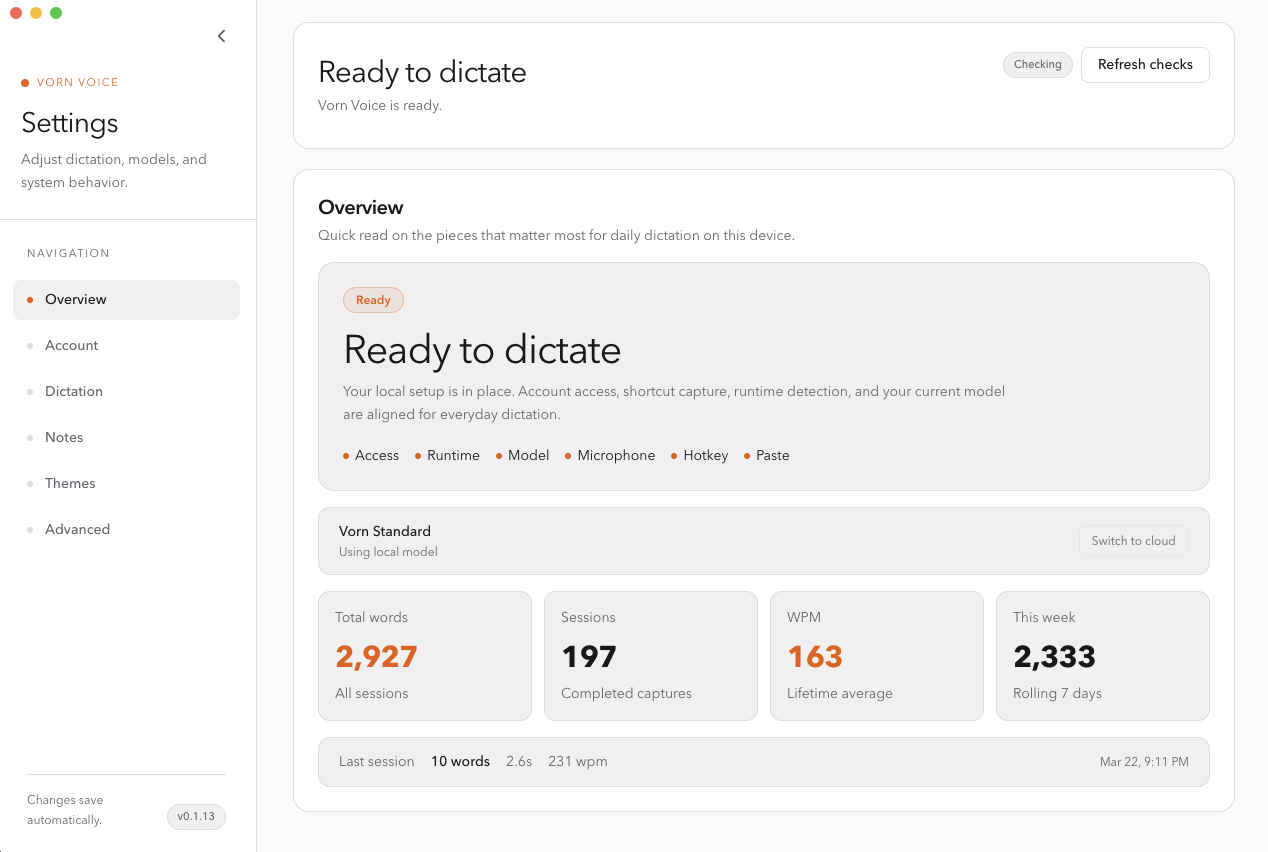
See what Vorn Voice looks like on your Mac.
A clean settings panel that keeps dictation status, session stats, and setup checks in one place.
What Vorn Voice helps you write
Reply while the thought is fresh instead of retyping it from scratch.
Example
“Thanks. I reviewed the change and it looks ready to ship after one more quick test.”
Capture rough ideas, meeting notes, and reminders before they disappear.
Example
“Customer wants a simpler export flow and clearer status messaging on the empty state.”
Draft internal docs, outlines, and status notes without bouncing between tabs.
Example
“Here is the rollout plan, the risk to watch, and what the next person should pick up tomorrow.”
Explain what changed or what happens next in plain language.
Example
“I found the issue, restarted the sync, and the updated records should appear in a few minutes.”
Support
Own Vorn Voice for $6.99 one-time. Vorn Voice Pro adds cloud transcription at $6.99/month with a 7-day free trial. Manage billing from your account.
Open pricingUse the same email for checkout and in the app. Vorn Voice uses a one-time email code to confirm your plan before dictation starts.
Open sign-inDownload the macOS app, sign in, and pay from inside the app. If the download page doesn't load, use the direct link below.
Open downloadsFor anything else, email [email protected] and we'll point you to the right next step.
Email [email protected]$6.99 one-time — cloud add-on available
Ready to own Vorn Voice?
Download the app, sign in, and start dictating. $6.99 one-time — no subscription needed.
Not ready yet?
Get product updates and tips. No spam, unsubscribe anytime.